XR Blueprint 3D
Check the build against the BIM model, on site
See the BIM model over the real building at 1:1 scale. Record each difference and send it to the design team.
How it works
- 01
Load the model
Prepare the model in BIM CUT and load it into XR Blueprint 3D.
- 02
Place it
Place the model on site with a QR marker or with two points.
- 03
See the overlay
View the model over the real building in AR or MR.
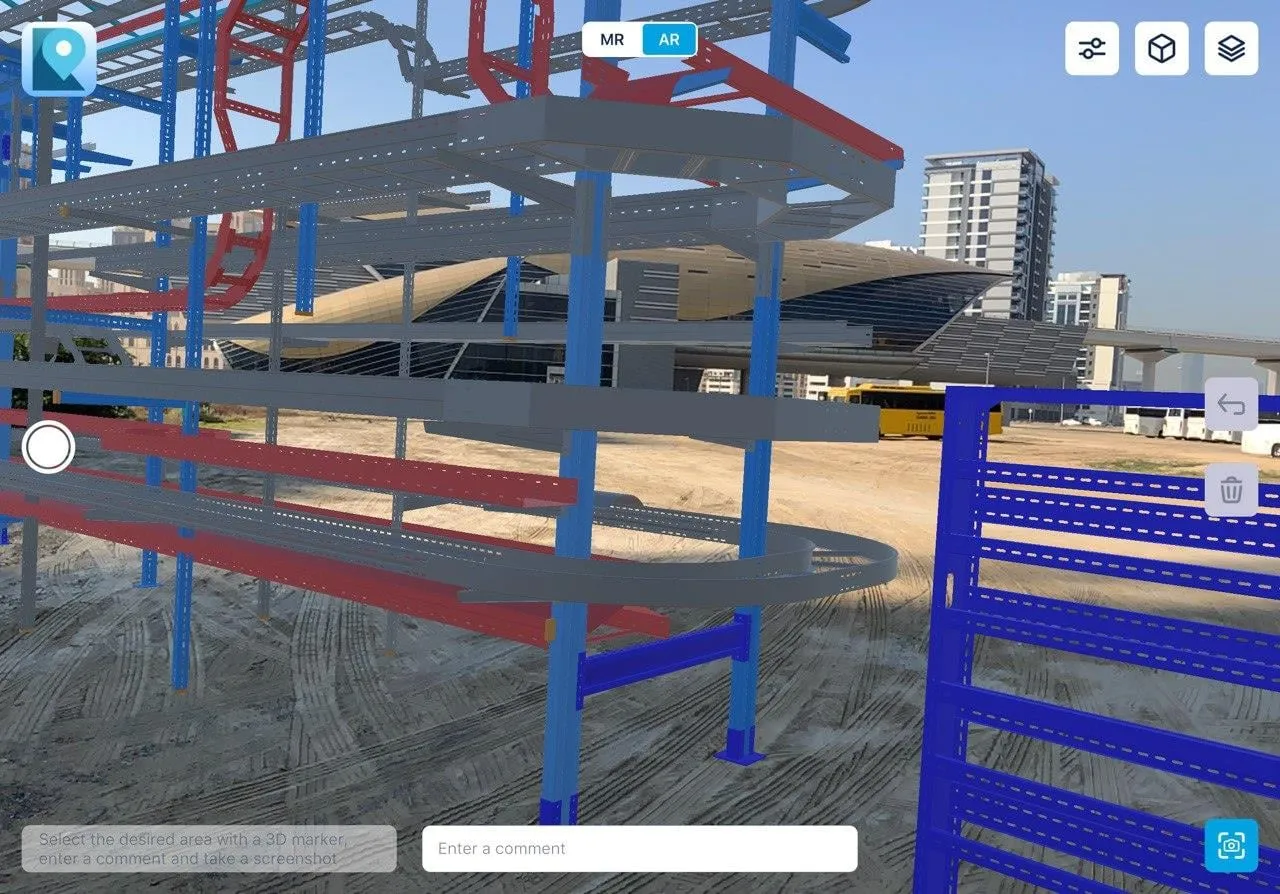
- 04
Record the difference
Mark the area with a 3D marker, add a comment and take a screenshot.
- 05
Export BCF
Send the recorded issues to the design team as BCF.
Capabilities
- 01
1:1 overlay
The model sits over the building at full scale.
- 02
Manual placement
Move the model into place by hand.
- 03
Transparency and colour by layer
Show or hide layers and see through them.
- 04
Stepwise adjustment
Correct the position in small steps.
- 05
Distance measurement
Measure between two points on site.
- 06
Rotation
Turn the model to match the building.
- 07
Attributes on tap
Tap an element to read its attributes.
Requirements
Device
- XR Blueprint 3D on iPad with LiDAR and on Android
Model formats
- MEF
- FBX
- GLB
Positioning
- QR marker
- Two points
Use
- Visual verification on site
Use cases
MEP and equipment installation
Compare installed ducts, trays and equipment with the model.
Structural checks
Check the structure against the design.
As-built verification
Walk the site and see where the built work differs from the model.
Clash spotting on site
See where installed work clashes with the model before the next trade starts.
Case study
Mineralnye Vody airport terminal
- Project facts
- 28,000 m², 2023–2025, 11 QC inspectors, 3 contractors
Airport terminal in Mineralnye Vody.
Read the caseQuestions
Which device do I need?
XR Blueprint 3D on iPad with LiDAR and on Android.
Which model formats can I load?
XR Blueprint 3D loads MEF, FBX and GLB models.
How do I get the model into the app?
Prepare the model in BIM CUT. BIM CUT converts IFC and other formats to MEF.
How do I place the model on site?
Use a QR marker, or set two points.
What does the overlay check?
The overlay supports visual verification on site. You see where the built work differs from the model and record each difference.