For developers
See every contractor and every snag in one place
You pay for the build, so you need to know what is still open. XR Blueprint gives you one dashboard for all contractors and one record at handover.
What you get
- 01
A clear view of progress
See snags by contractor, by severity and by status without a request to the site team.
- 02
Pressure on open items
Each snag has a responsible contractor and a deadline, so nobody can say they did not know.
- 03
A complete handover
Take over the snag list with photos, comments and history, not a folder of messages.
How you work in XR Blueprint
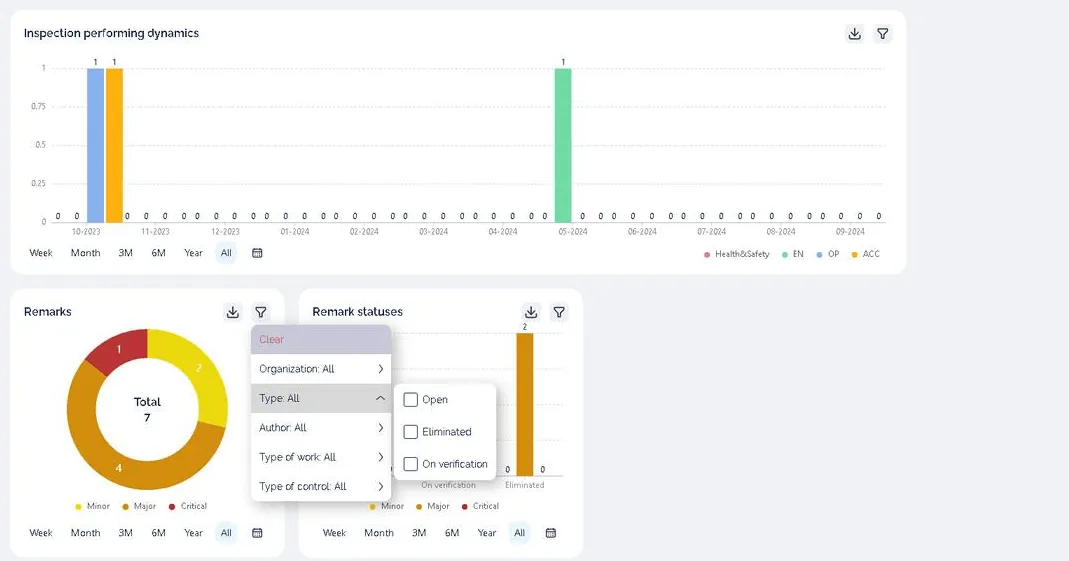
All contractors on one dashboard
See inspections over time, and snags by severity and by status.
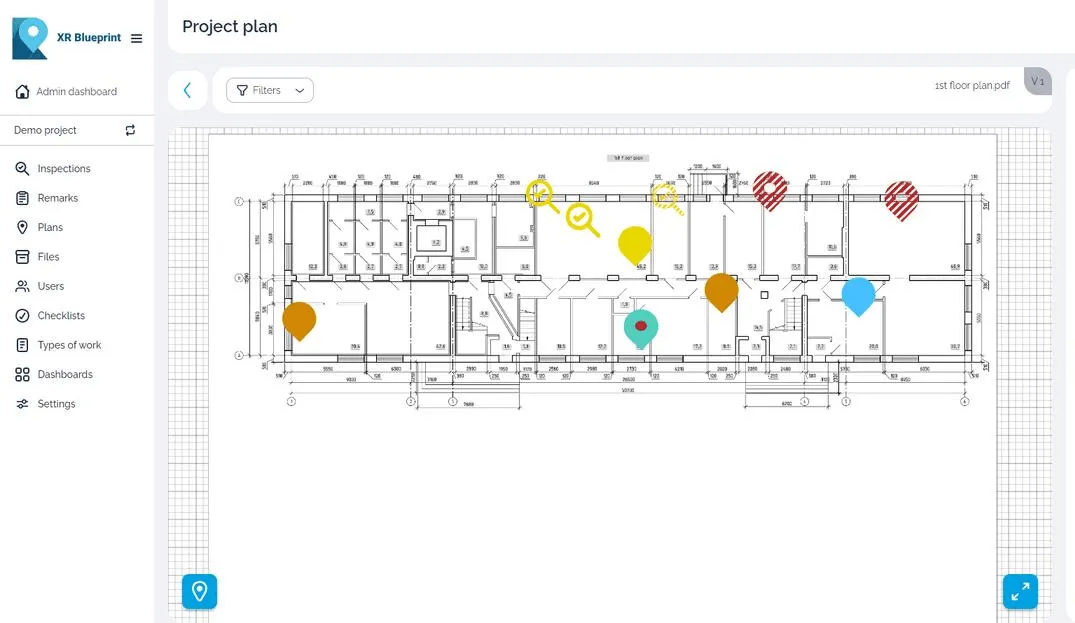
Snags on the drawing
Open the plan and see where each open snag is.
Handover snag lists
Export the inspection reports and keep them as the record of the handover.
Control of who sees what
Access control and user roles in the app.
On your own server
Enterprise runs on the customer's server.
Case study
Roshchino airport terminal
- Project facts
- 45,000 m², 2023–2027, 16 QC inspectors, 10 contractors
- Client
- Spektrum Group, technical customer
The terminal reconstruction at Roshchino Airport, Tyumen, Russia. The terminal is rebuilt in three stages while flights continue. All parties work from one digital record of snags.
Read the case studyRelated products
XR Blueprint
Inspections and snags on your drawings.
See XR BlueprintPricing
Licences, Enterprise and the on-premise option.
See pricing